

Snapshots
Overview
Snapshots let spreadsheet owners create and restore versions of a spreadsheet, from the interface or through the API (for example, on a schedule). Only owners can manage them.
Requirements
Requires the Jspreadsheet Server API Extension and AWS S3.
Frontend
Owners create snapshots and restore previous versions from the interface.
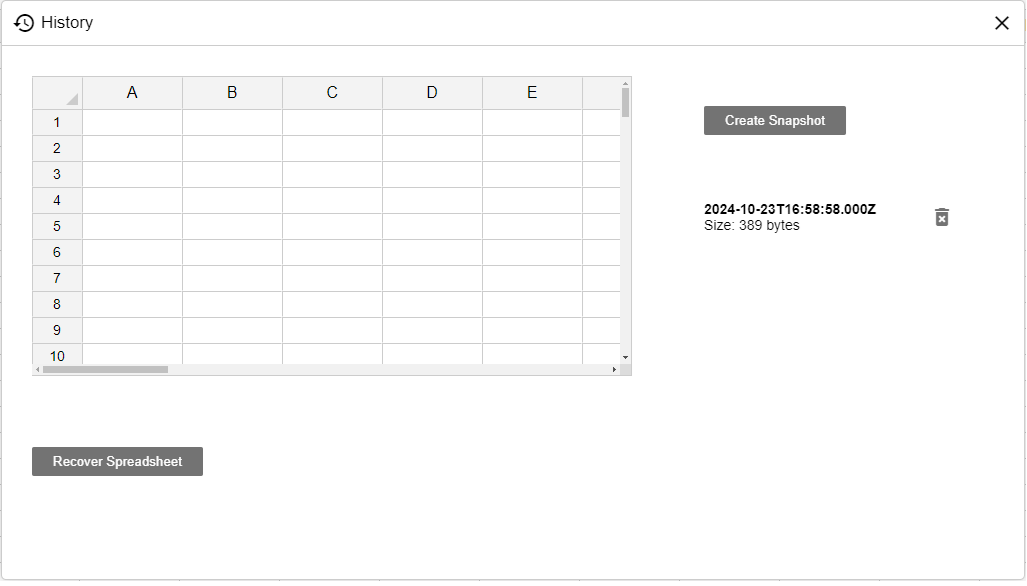
Server
Setup
Each snapshot is the full spreadsheet configuration, zipped and saved in your S3 bucket under the key <guid>/snapshots/<YYYYMMDDHHMMSS>; the timestamp becomes the snapshot's versionId. Configure the API extension with your S3 credentials; without them the snapshot routes respond with 500 S3 not defined.
const server = require('@jspreadsheet/server');
const adapter = require('@jspreadsheet/server-mongodb');
const api = require('@jspreadsheet/server-api');

// Load from ENV
require('dotenv').config();

// Jspreadsheet license
const license = {
    clientId: process.env.JSS_CLIENT,
    licenseKey: process.env.JSS_LICENSE
};

// Connect API to S3
api({
    s3: {
        key: process.env.AWS_S3_KEY,
        secret: process.env.AWS_S3_SECRET,
        bucket: process.env.AWS_BUCKET,
        region: process.env.AWS_S3_REGION,
        url: process.env.AWS_S3_URL,
    }
});
Access Control
Every snapshot route checks the server's isOwner hook and returns 403 Forbidden for non-owners. Creating, restoring and deleting also pass through your beforeChange hook with the methods createSnapshot, restoreSnapshot and deleteSnapshot; in the reference wiring all three are owner-only methods.
History API
Routes
| Route | Description |
|---|---|
GET /api/<guid>/history |
List all snapshots, newest first. Each entry contains versionId, date and size. |
GET /api/<guid>/history/<versionId> |
Return the full spreadsheet configuration stored in one snapshot. |
POST /api/<guid>/history |
Create a new snapshot of the current document state. |
POST /api/<guid>/history/<versionId> |
Restore the document to a snapshot. |
DELETE /api/<guid>/history/<versionId> |
Delete a snapshot. |
Restore Behavior
Before a restore, the server snapshots the current state, so the pre-restore version is never lost. The document is then replaced with the snapshot contents through your replace handler if defined; otherwise it is destroyed and re-created through your destroy and create handlers.
Example
List all snapshots (owner-only):
const baseUrl = 'https://your-server.example.com/api';
const guid = '79b45919-c751-4e2b-a49a-6c1286e2fc03';
const headers = { 'Authorization': `Bearer ${token}` };

const snapshots = await (await fetch(`${baseUrl}/${guid}/history`, { headers })).json();
console.log(snapshots);